Let the cars sell themselves in 3D and still book in minutes on a phone.
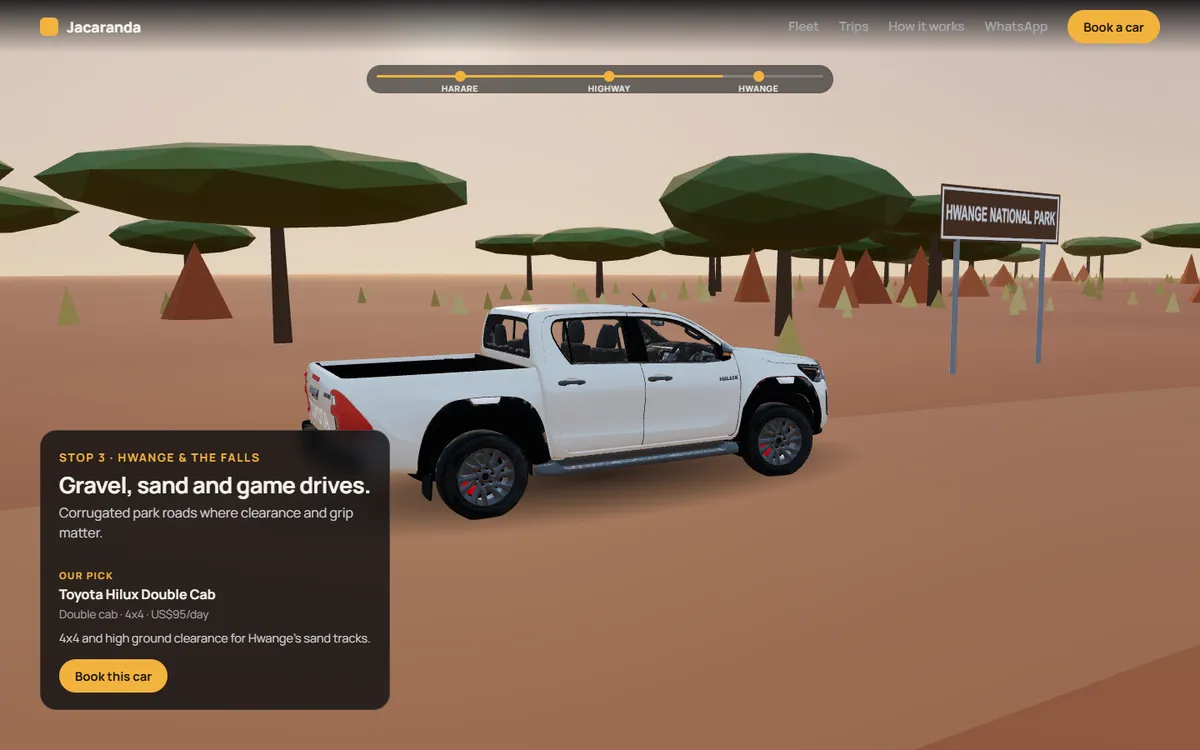
Jacaranda Car Hire is our own demo of what a car hire website in Harare can be. Visitors can spin each car, open its doors, take a virtual drive from the city to Hwange, and then book and pay a deposit with EcoCash or a card. It isn’t built for a client yet, and Jacaranda is a demo brand: the site is ready to carry a real company’s name, cars and prices.
Who it's for
Car hire companies in Harare, and their local and tourist customers
Runs on
Any phone or computer browser; the 3D adapts to the device
Built with
Next.js, Three.js (React Three Fiber), GSAP, Firebase, Paynow
Status
Working demo, November 2026; ready to brand for a car hire company
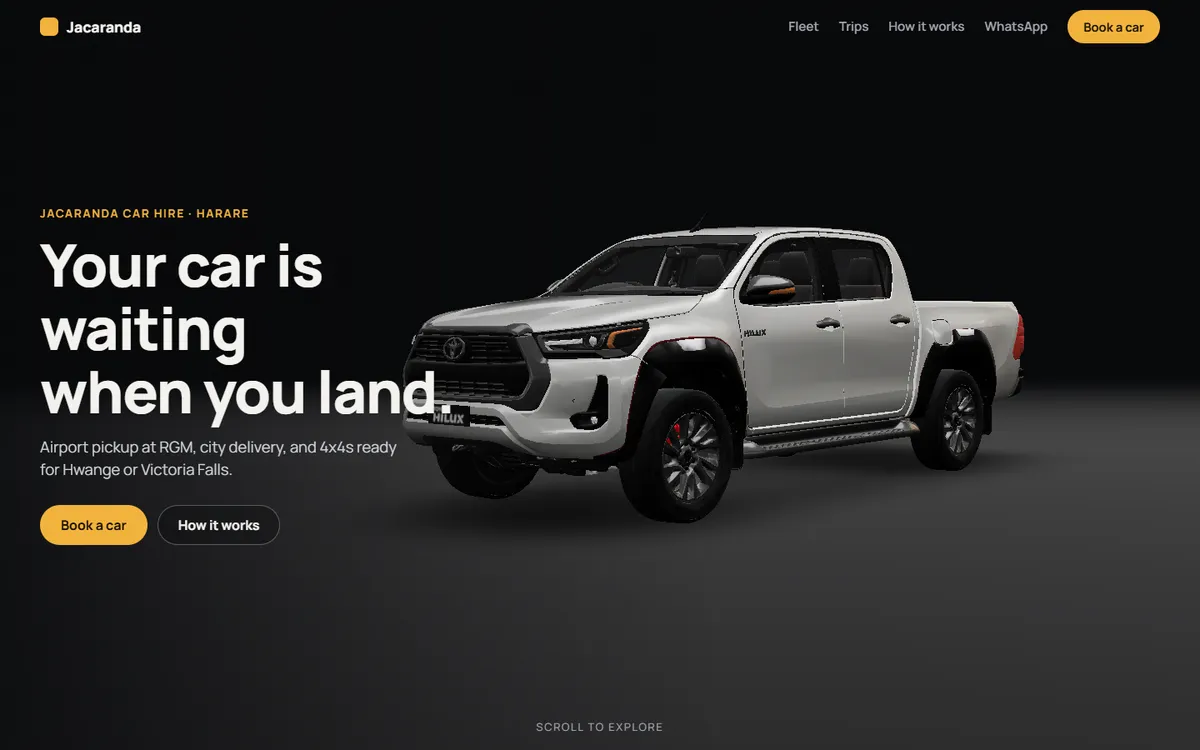
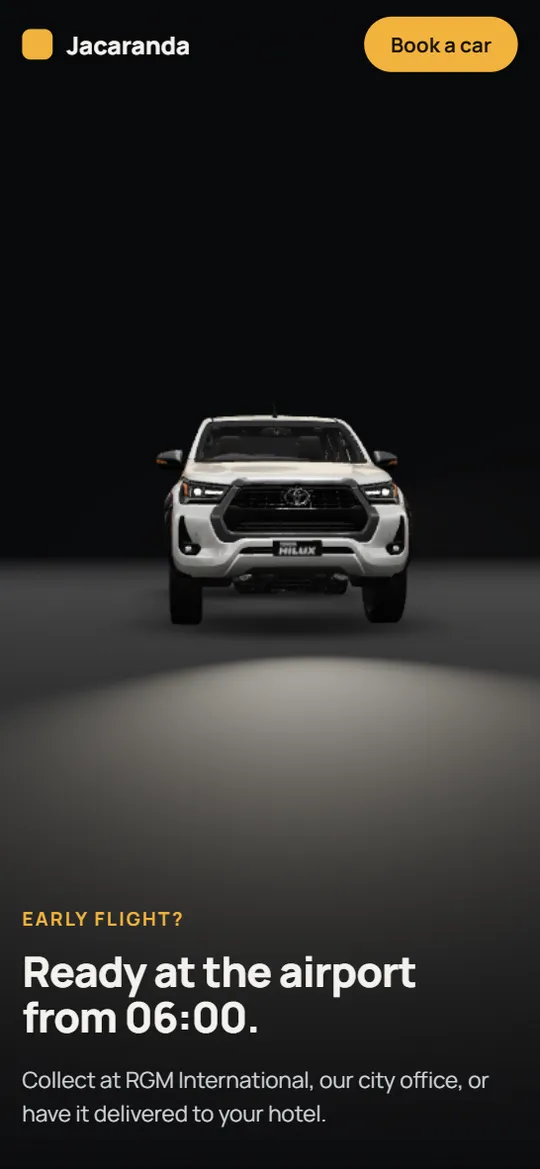
The opening screen of the demo, after the car has driven in.
People choose a hire car from a photo and a price list, then book over WhatsApp.
Most car hire sites show one photo per car and send you to a phone number. Customers can't tell which car suits their trip, and the company spends hours on WhatsApp checking dates and prices by hand.
We set out to build a website that does that work. It had to:
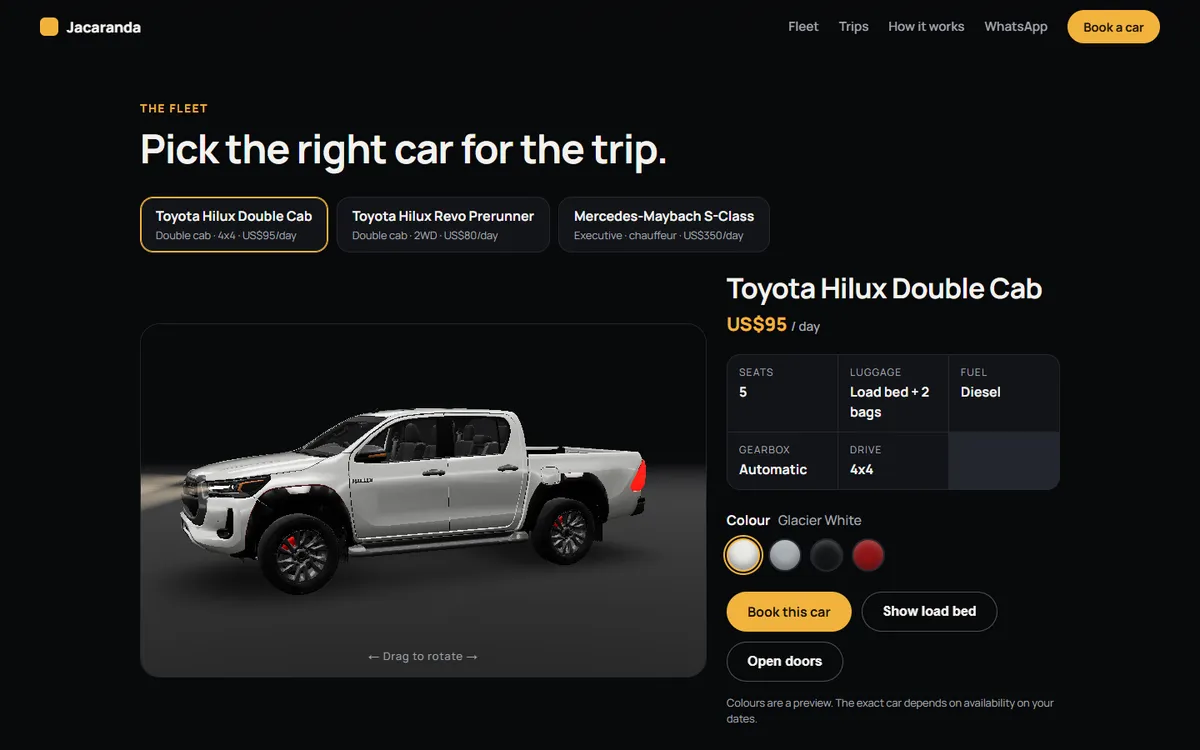
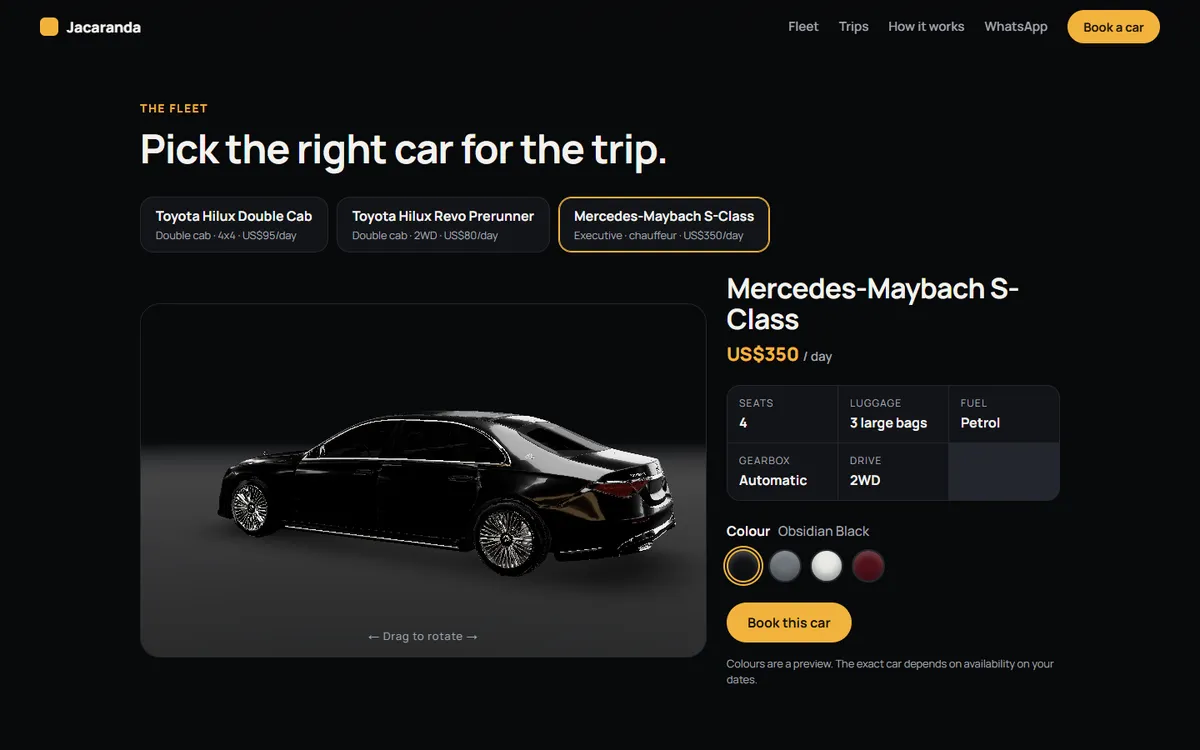
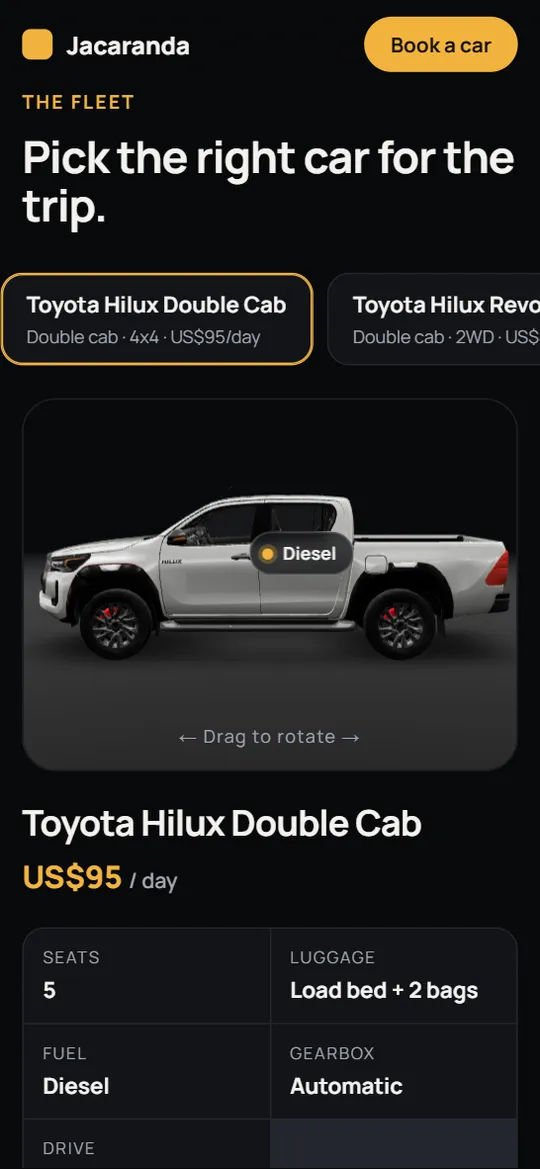
Show each car in 3D, so customers can look around it, inside and out
Help people pick the right car for their trip: town, highway or game park
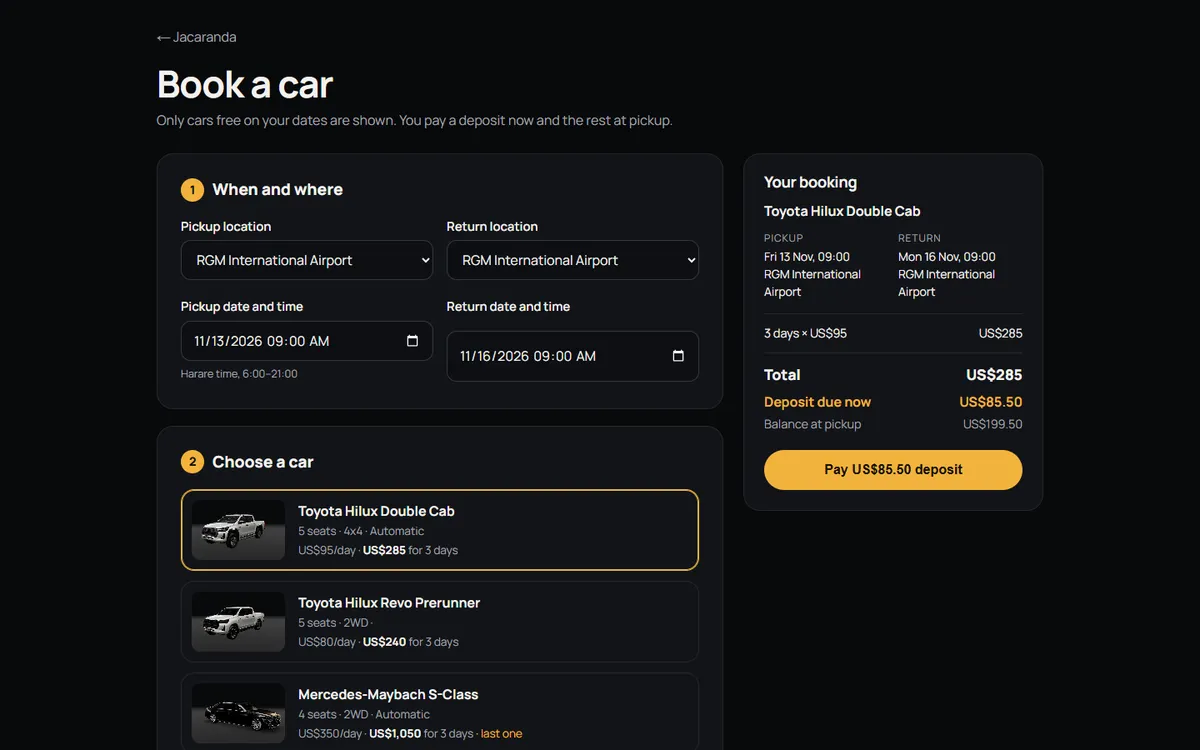
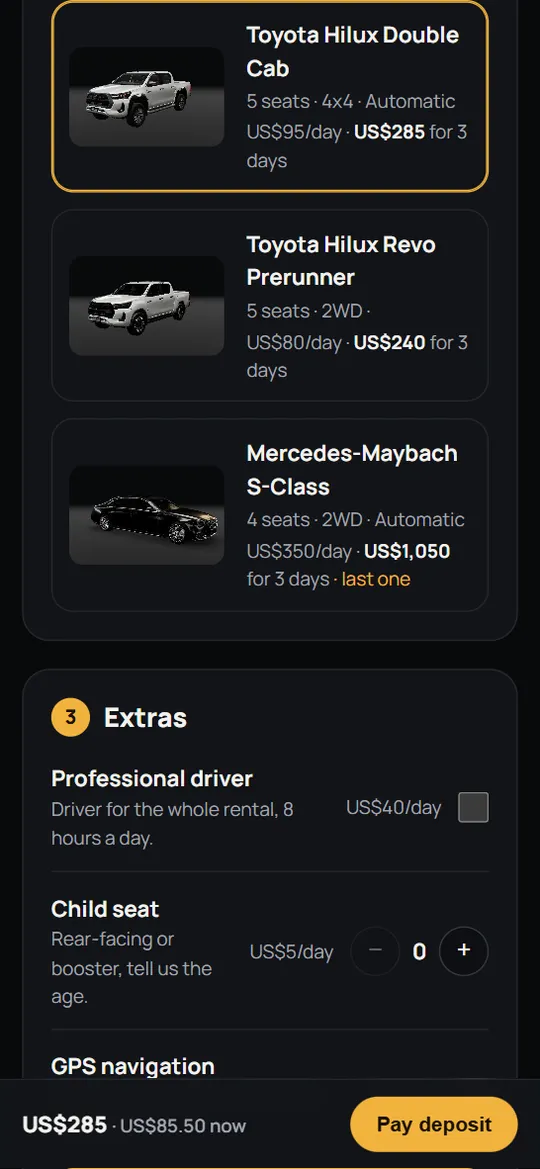
Offer only cars that are free on the chosen dates, with the full price before paying
Take a deposit with EcoCash or a card, including international cards for tourists
Stay fast on ordinary phones and mobile data, because that's how most customers browse
02 — How we built it
The same six steps we use for every client.
This one is our own demo, so we were the client. Here's what each step looked like.
1
Brief
Five parts: a 3D opening scene, a fleet viewer, a scroll drive with trip suggestions, a “how it works” section and a booking form with no 3D at all, so booking is never slowed down.
2
Design decisions
A dark studio for the cars, so the paint and lights stand out, and a calm, plain booking form. A “Book a car” button stays on screen everywhere. More on the choices below.
3
Prototype
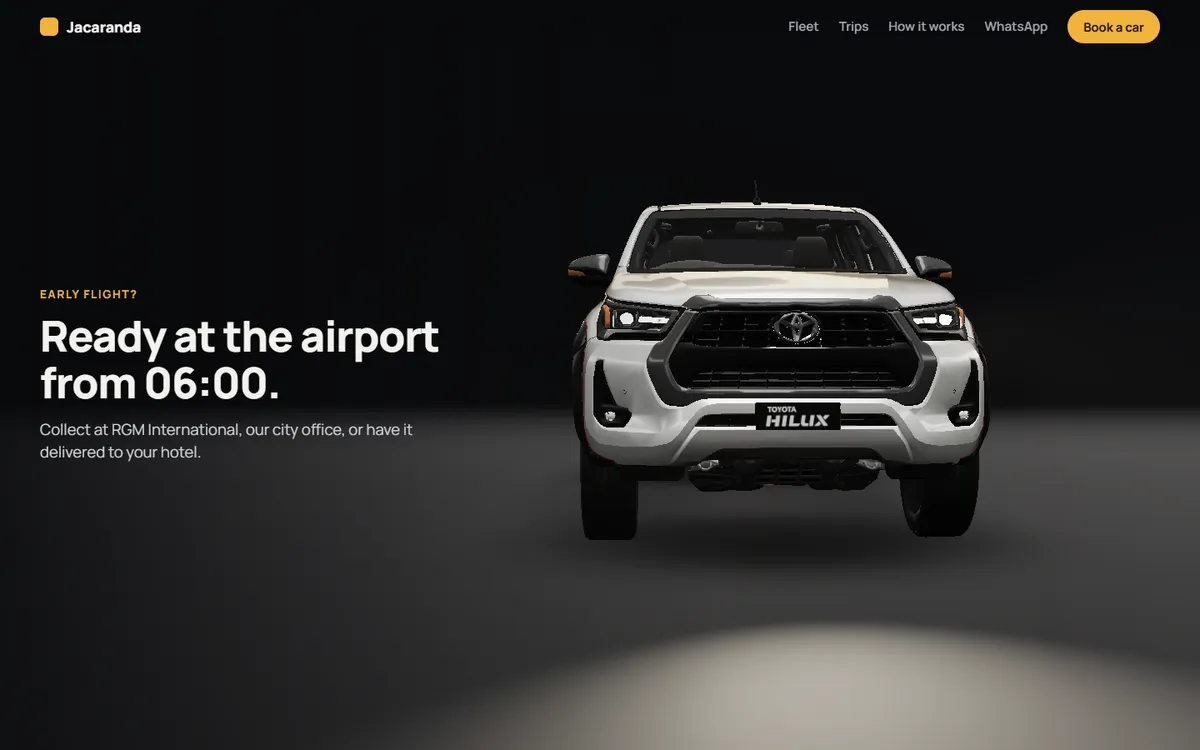
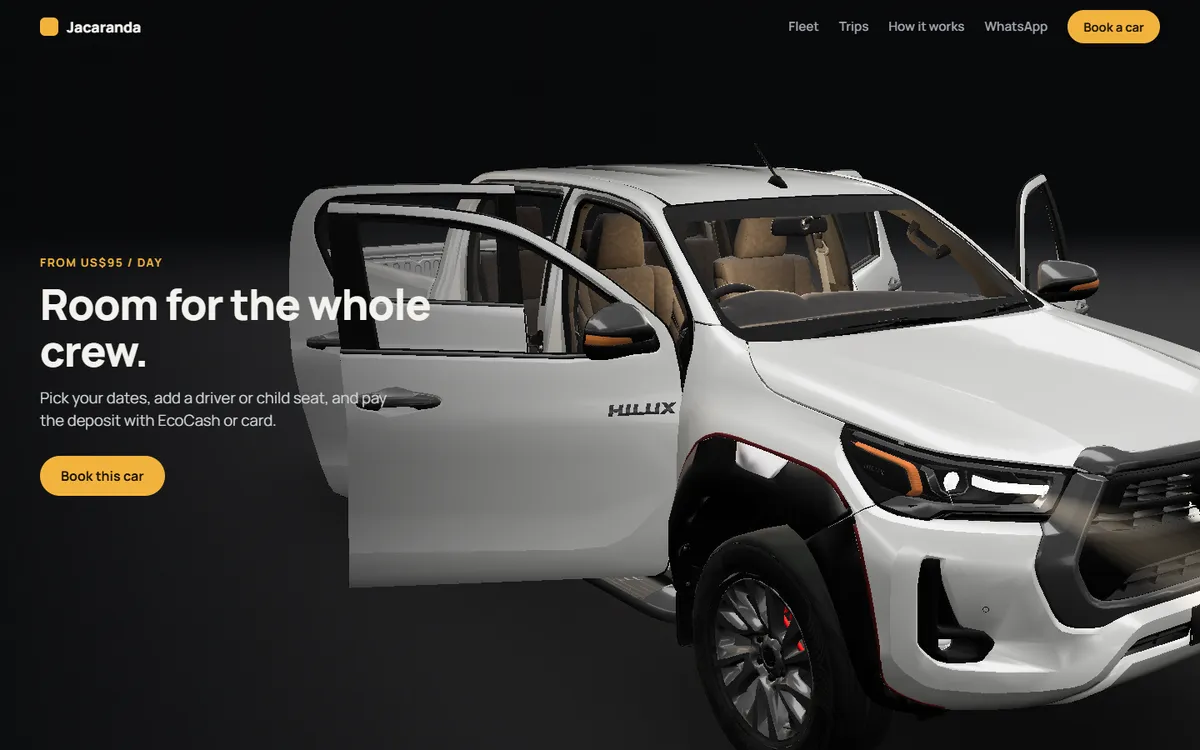
The opening 3D scene came first and doubled as the pitch demo: one car in a studio, with the camera circling it, the lights coming on and the doors opening as you scroll.
4
Build in small pieces
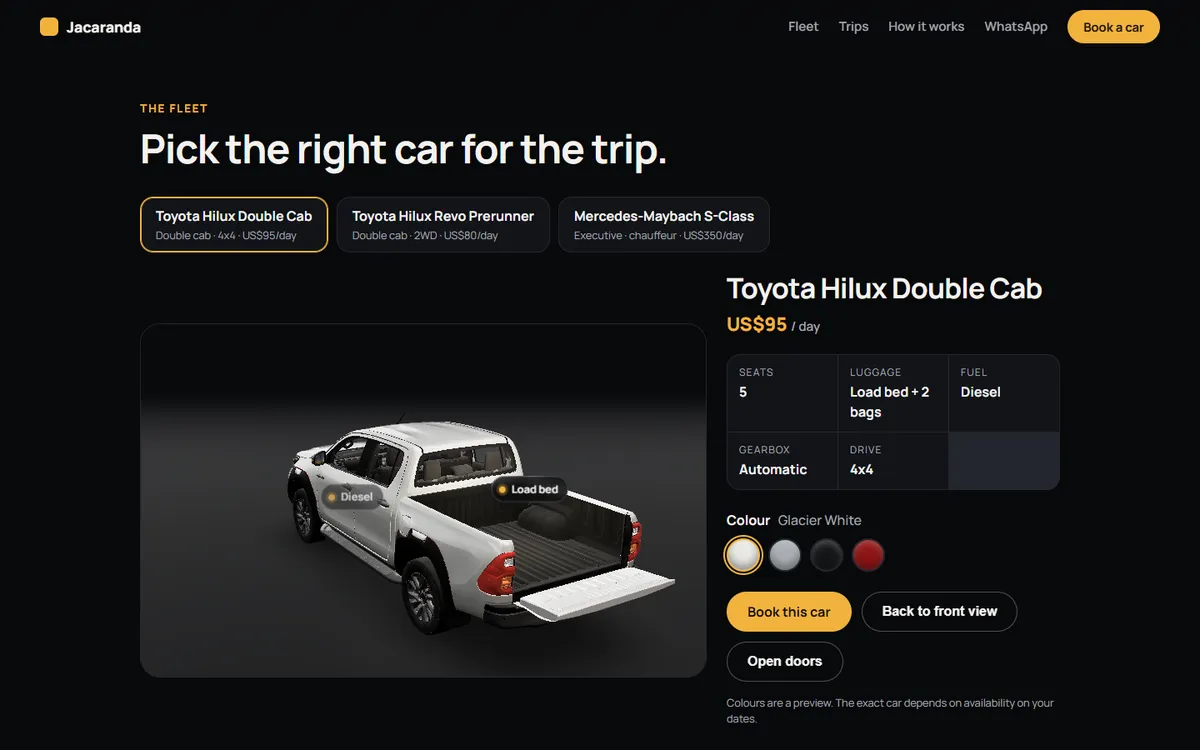
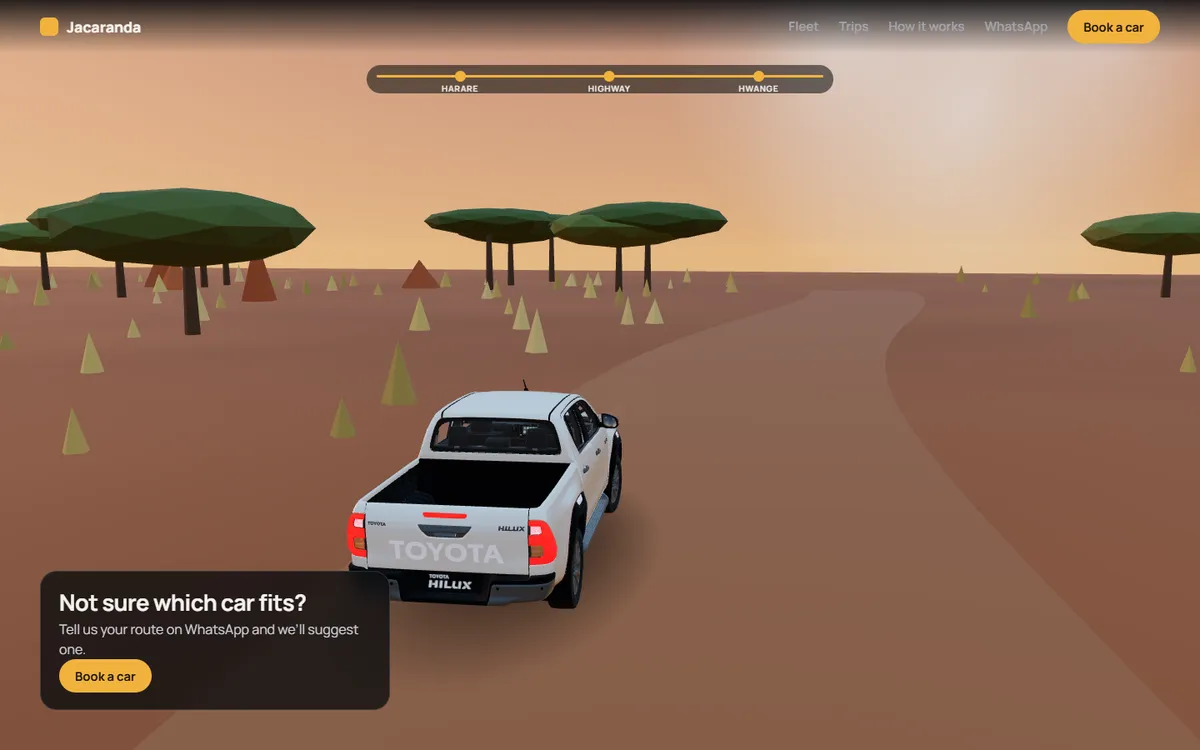
Then the fleet viewer, the booking system and the scroll drive. Last came the finishing touches: the car driving in, the hazard lights blinking like a remote unlock when you press “Book”, the tailgate dropping to show the load bed, and dust on the gravel road.
5
Test and harden
We sent four bookings for the last three cars at the same moment: three went through and one got a clear “just booked” message. We also tested failed and late payments, a faked payment message, and every screen on desktop and phone sizes, including the image-only version.
6
Ship and support
The demo works end to end with test payments. For a real car hire company, we put in their name, colours, cars and prices, connect their Paynow, email and WhatsApp Business accounts, and launch.
03 — Screens
What it looks like.
Screenshots of the working demo with a sample booking. Scroll sideways to see them all.
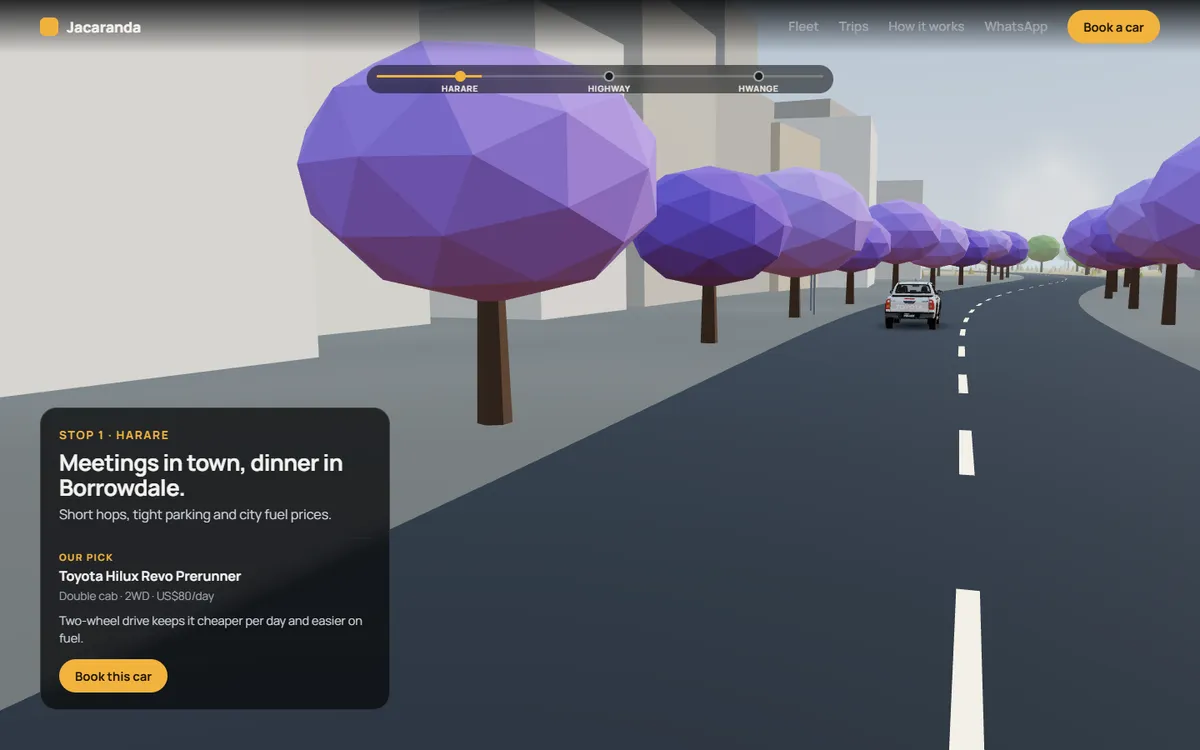
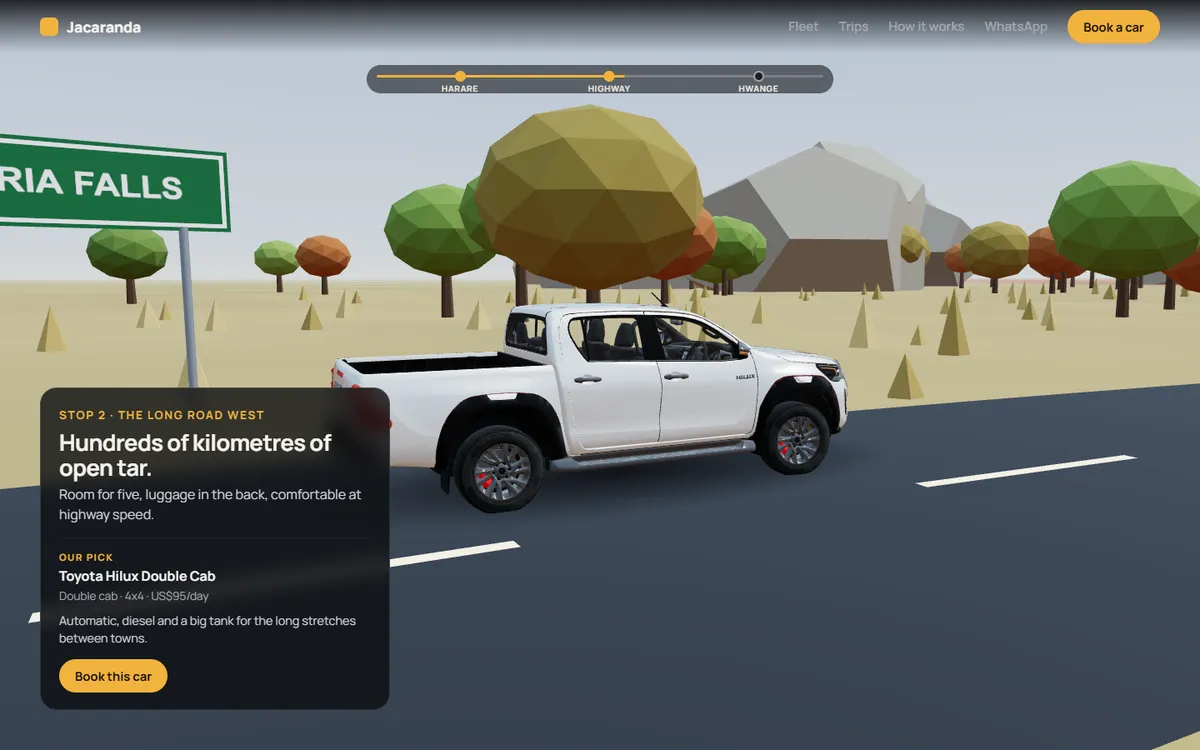
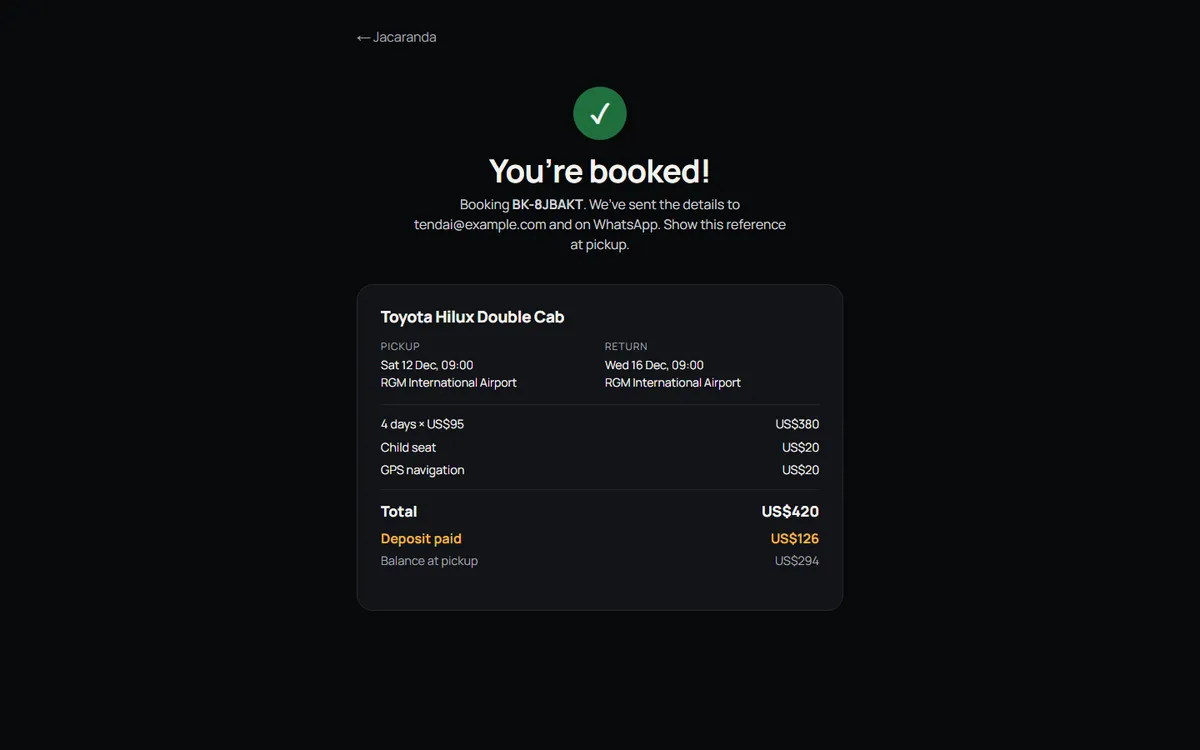
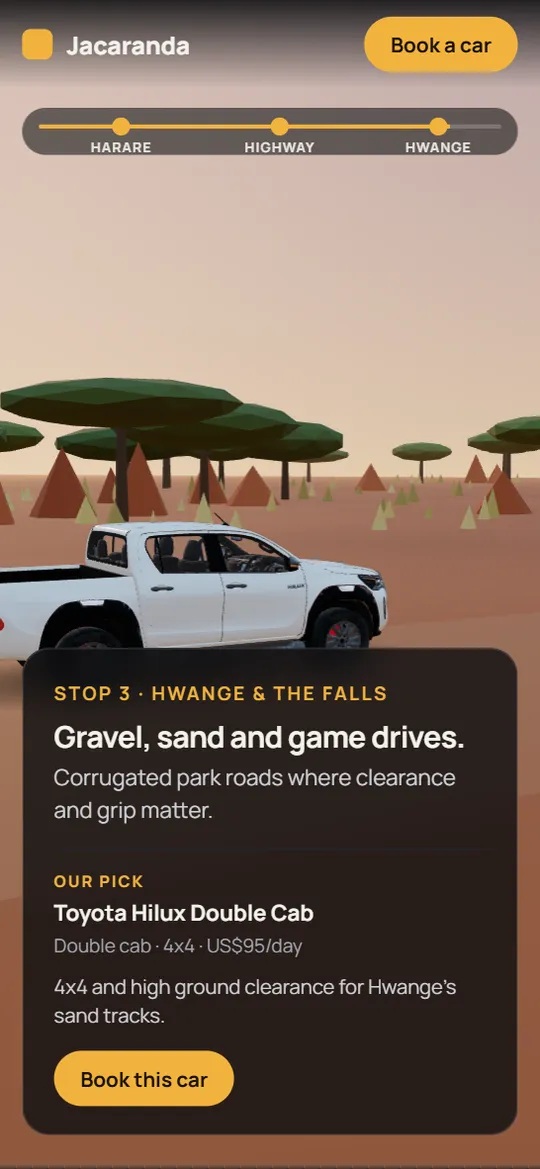
Headlights come on as you scrollDoors open to show the insideFleet viewerSwitch cars and coloursShow the load bedThe drive: HarareThe drive: the highwayThe drive: HwangeSunset and dust on the gravelBooking: only free cars, live priceBooking confirmed
On a phone, with the lighter 3D version phones get.
The site checks the phone and connection first. Strong devices get the full effects, most phones get a lighter version, and slow data gets photos with a “View in 3D” button. Each car file is shrunk to between 0.5 and 3.4 MB, and only one loads at a time.
A drive built in code
The streets, savanna and gravel road are drawn by the website itself, not downloaded as heavy files. The jacarandas, msasa trees, granite kopjes and acacias place customers in Zimbabwe, and the car keeps to the left lane.
Bookings you can trust
A car is held for 20 minutes while the customer pays, so two people can never take the last one. Prices are worked out again on the server, and a payment only counts once Paynow confirms it.
Paying the way people pay here
EcoCash sends a PIN prompt to the customer's phone, cards go through Paynow's secure page, and the confirmation arrives by email and on WhatsApp with a booking reference.
The 3D car models shown here are licensed for commercial use with credit to their makers, and the site credits them in its footer. Cars whose models don't allow commercial use are left out of the public demo.
05 — Tech stack
What it's made of.
Website
Next.js and React with TypeScript; the booking pages carry no 3D, so they load quickly
3D
Three.js through React Three Fiber, with real-time lighting, reflections and shadows; car models compressed with gltf-transform
Animation
GSAP ScrollTrigger links every scene to the scroll; all motion is switched off for visitors who ask for less motion
Bookings
Firebase Firestore, with each booking checked and saved in one step so the last car can't be sold twice
Payments
Paynow: EcoCash Express and the hosted card checkout, with every payment message verified
Messages
Email confirmations for the customer and the office, and WhatsApp confirmations through the WhatsApp Business platform
06 — What's next
Getting it on the road.
The demo works end to end with test payments. To launch it for a car hire company:
Their name, logo, colours, cars, prices and policies
Their own Paynow, email and WhatsApp Business accounts
An admin panel for staff to manage cars, dates, bookings and prices
Each of their cars in 3D, added as the fleet grows
Your project
Run a car hire business? This can be yours.
The demo is ready to carry your name, fleet and prices. Book a free consultation and we’ll show it working.